Download previous version installer compatible with Catalina
Other Versions

Other Versions
CMD:
Net localgroup Administrators /add “AzureAD\<users office 365 email address>”
Source: Slashadmin
Powershell
Connect-ExchangeOnline
Start-ManagedFolderAssistant -Identity morris.cornejo@contoso.com
onedrive.exe /reset
Close all office programs (outlook, word, excel, powerpoint).
Click Start
Type CMD
Command Prompt should be selected
Click Run as Administrator
Copy and paste this command:
“C:\Program Files\Common Files\microsoft shared\ClickToRun\officec2rclient.exe” /update user updatetoversion=16.0.13901.20462
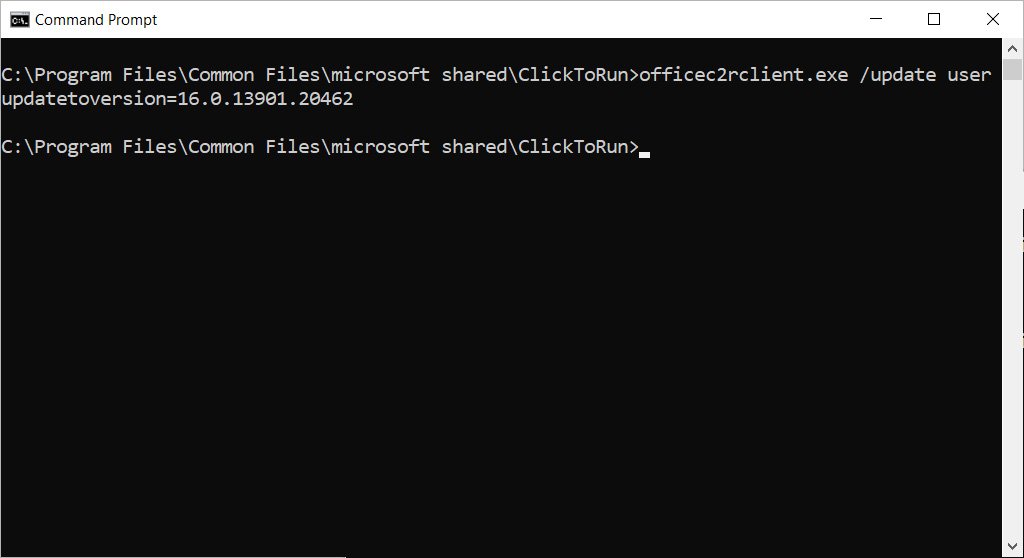
Press enter.
Wait for office to install previous version.
When you see the Updates were installed screen you are good to go

Delete: ~/Library/ApplicationSupport/Microsoft/Teams
Also terminal:
defaults write com.microsoft.Word ResetOneAuthCreds -bool YES
Terminal:
defaults write com.microsoft.Outlook DisablePreviewForSMIME 1
killall cfprefsd
First time:
Install-Module ExchangeOnlineManagement
Commands:
Connect-ExchangeOnline
Set-OrganizationConfig -OAuth2ClientProfileEnabled $true
Check:
Get-OrganizationConfig | Format-Table Name,OAuth* -Auto
Batch file example
cd “%programfiles%\Common Files\Microsoft Shared\ClickToRun\”
officec2rclient.exe /update user updatetoversion=16.0.12730.20250
pause
https://docs.microsoft.com/en-us/officeupdates/update-history-microsoft365-apps-by-date